Welcome
Bonus related to the first deposit and the entry of new users.
 21BETPLAY BEYOND LIMITS


A complete guide to understanding welcome PROMOTIONS, reloads, cashback, rebate, invites and VIP benefits. Compare each campaign, read the requirements, and track what appears in your account.
A promotion combines a benefit, a period, and a condition. The benefit can be a bonus, cashback, rebate, invitation, or a mission reward. The period tells when the offer is available. The condition explains what needs to be done to activate, use, or redeem it.
The highlight of this version is a first deposit bonus of up to R$ 3.284. This number is a promotional cap, not a fixed credit. The actual amount depends on registration, the eligible deposit, and the rules shown at the time of participation.
To avoid confusion, keep entry PROMOTIONS, top-ups, VIP benefits, and referral campaigns separate. Different amounts belong to different campaigns.

Offer: shows the benefit and the campaign audience.
Activation: indicates whether you need to click or join before meeting the condition.
Validity: defines until when the campaign can be used.
Redemption: explains where the amount or benefit appears after validation.
Bonus related to the first deposit and the entry of new users.
Periodic campaigns for deposits made on defined days or times.
Promotional return calculated according to activity and offer criteria.
Progression, referral, mission, and special event benefits.

The welcome bonus is an initial campaign. The top-up may appear on a recurring date, such as a special day of the week, or when a new action is released in the panel.
In this new reading, a top-up may announce up to R$ 226, while a login mission may indicate up to R$ 118. These amounts are examples of separate campaigns and should not be added automatically to the initial bonus.
Cashback and rebate may seem similar, but they need to be read in the area where they appear. Cashback usually presents a return tied to a category or period. Rebate may appear as its own line in the profile, with a percentage, limit, or eligibility condition.
| Campaign | Illustrative amount | Correct reading |
|---|---|---|
| Weekly cashback | Up to 7.2% | Return according to qualified activity |
| Instant rebate | Up to R$ 86 | Benefit separate from the regular balance |
| Category mission | Up to R$ 44 | Depends on completing the indicated task |
| Flash offer | Up to R$ 312 | Has a short period and limited availability |
The VIP program can organize benefits according to progress, frequency, volume, and calendar. The account may show level, monthly total, eligible activity, and access to special events.
A weekly, monthly, or commemorative-date update may have its own requirements. Do not assume that one level guarantees the same benefit in every period: open the current campaign, read the criteria, and check whether the reward needs to be activated.
Identify whether it is a bonus, top-up, cashback, rebate, invitation, or VIP.
See the minimum amount, period, participating games, and usage condition.
When necessary, click to join before completing the action.
Review the profile, promotional balance, and redemption area.
If the offer does not appear, do not repeat the operation in a hurry. First refresh the page, check the account, and look for the current rule.
When there is a deposit, validate the method, amount, and confirmation. Keep the record shown by the system.
No. The maximum amount is the campaign cap. The actual amount depends on eligibility and the rules shown in the account.
Some campaigns require manual activation and others are associated automatically. Check the button and the PROMOTION rules.
Not necessarily. They may use different calculations, deadlines, and credit areas. Read the name and rule of each benefit.
No. Top-up and first deposit are different campaigns, even if they appear on the same page.
Open the profile and review balance, bonus received, history, and status. If something is not clear, consult official support.
Yes, many campaigns have validity, participation limits, or redemption periods. Confirm the date before joining.
A good PROMOTION is one you understand before clicking. Check the amount, period, requirement, activation, and redemption. Also set a time and budget limit to use the platform responsibly.
Gouzout ar wolf.bet : Ul lec’hienn nevez eus c’hoarioù da gounit war al lec’hienn
Content
War wolf.bet
Ar C’hoarioù Pennañ
Arventennoù ha Taolenn ar Implij

{“error”:{“message”:”Your account balance is insufficient. Please recharge to continue using the service.”,”type”:”insufficient_balance”,”source”:”system”,”deta
Kontign
About the 21bet bonus code
How to use the 21bet bonus code
Bonus terms and conditions
Related keywords: 21bet cc, bet 21/08 and 21 21
Code table
Everything about the 21bet bonus code: How to make the most of your bets
Content
What is the 21bet bonus code?
How to use the 21bet bonus code?
This type of bet
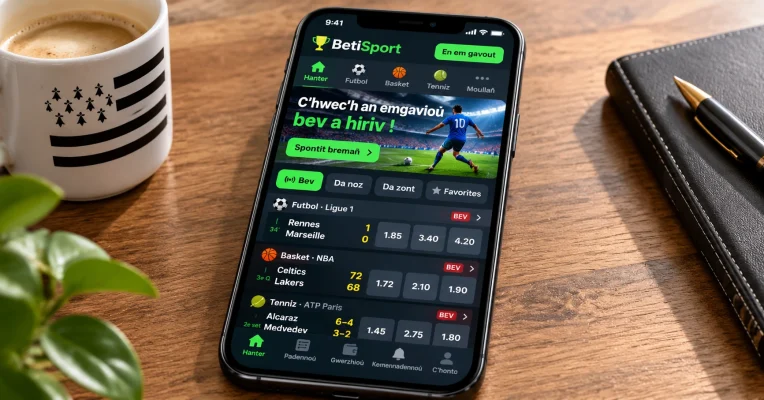
21bet sports app: complete analysis and functionality
The 21bet sports app is an easy and modern solution for the biggest players in Brazil looking for a platform
Every place where there is 21 a, and in contact with important games and the sites on the online sites
Content
1. What is 21 a,?
2. Operation and im